The 5 secret steps to rebrand & list any digital product in 1 hour, that actually sells!
For digital sellers who want to list better digital products faster that make more sales and money
Can I be really honest with you for a second?
After working closely with - and mentoring hundreds of digital sellers over the last 3 years, I can tell you exactly where most people get stuck.
Not sometimes.
Every single time.
They don’t fail because they’re lazy.
They don’t fail because they picked the “wrong” niche.
And they definitely don’t fail because Etsy is saturated.
They fail because they're either throwing up carbon copies of other sellers OR they’re sitting on digital products they don’t quite know what to do with.
You probably bought done-for-you templates for a reason.
To save time.
To move faster.
To get something into your shop without spending weeks designing from scratch.
But instead…
They’re sitting in folders.
Or you’re opening Canva, closing it, reopening it, tweaking one thing, then another thing, then another thing…
Hours pass. Days pass.
And nothing goes live.
Or - and this one hurts - you do list the product exactly as it came, then watch it sit there doing absolutely nothing.
No clicks.
No sales.
It feels like your version is invisible.
And suddenly you’re questioning everything.
“Maybe this product isn’t good.”
“Maybe my niche is wrong.”
“Maybe Etsy just doesn’t work anymore.”
That’s the moment people quietly turn their business into a hobby…
Or worse, they quit altogether.
Here’s what I need you to understand.....
If hundreds of people are selling the same type of digital product, the best one doesn’t automatically win.
The one that looks different, feels clear, and is positioned properly does.
Even if your product is bigger.
Even if it has more pages.
Even if it’s technically better.
Buyers scroll until something stops them.
And Etsy?
Etsy stops pushing listings that all look the same.
That’s not a mindset thing.
That’s how the platform works.
Over the last few years, while creating PLR products, mentoring sellers, and helping scale Etsy businesses behind the scenes, I started noticing a pattern.
The sellers making good consistent sales weren’t working harder.
They weren’t reinventing the wheel.
And they definitely weren’t redesigning everything from scratch.
They were doing a few very specific things.

I finally started my own Etsy shop in Mid November 2025 after originally creating it 4 years ago (because that's how much life got in the way!)
I create digital products for Upstrider's PLR library and I wanted to put myself exactly in my students shoes and understand first-hand exactly how Etsy is working right now for new stores.
I also wanted to show and prove that digital products are definitely not over-saturated when you understand how to present them, even when there are hundreds or even thousands of other shops selling the same products.
Between work and 2 young kids, time is not on my side and I was spending too much of it rebranding and listing products that were already premium quality.
So I built my own system.
Not a “sit here for 6 hours” system.
Not a “perfect everything before you start” system.
A get it rebranded, get it listed, get it live system.
The same system I personally use to take done-for-you digital products, make them look completely unique, and list them confidently - without overthinking, without second-guessing, and without living inside Canva.
It’s the reason my listings convert between 7–20% consistently.
And why I can move fast without cutting corners.
And no - this is not about copying.
We’re not stealing designs.
We’re not lifting text.
We’re not cloning anyone’s brand.
We’re studying buyer behaviour…
Then positioning your product so it actually stands out inside that market.
So in this mini guide, I’m going to quickly walk you through the exact five steps I do with every single digital product before it goes live.
There’s obviously more depth behind each step - and I’ve built a full, step-by-step system with templates, guided walkthroughs, and huge shortcuts called The 1-Hour Rebrand & List System™ for those of you who are ready to take this seriously and implement it into your own business and start reclaiming back your time!
Here’s the 5 simple steps I use to rebrand and list any digital product in
1-hour that actually sells

➊ STEP 1
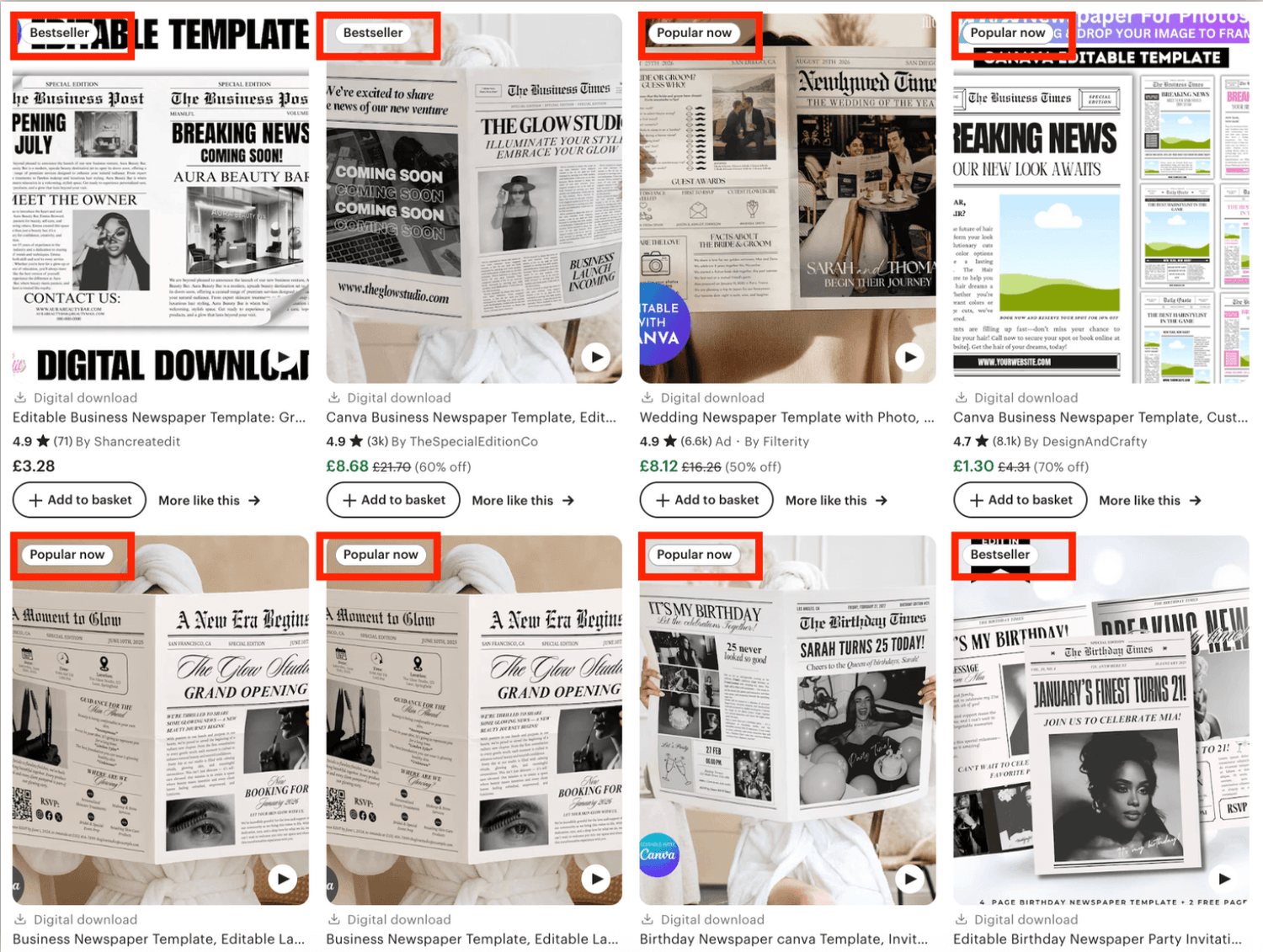
Quick market scan
Before you touch Canva.
Before you change a colour.
Before you even think about listing…
You need to know one thing.....
What is already selling - and why.
This is the step almost everyone skips.
And it’s the reason they end up guessing, overworking, or blaming Etsy.
I don’t start with ideas.
I don’t start with creativity.
I start with proof.
Because Etsy is already telling you what buyers want - you just need to look properly.
Here’s what this actually means in real life.
You take the product you want to sell - not your whole niche, not 50 random ideas - that exact product.
And you type it into Etsy’s search bar.
Not to copy.
Not to steal.
But to understand the landscape you’re stepping into.
I’m looking for listings that are clearly selling.
The ones with momentum.
The ones buyers are choosing again and again.
Because if buyers are already buying something similar, that’s not competition - that’s validation.
This step isn’t about analysing everything to death.
It’s about spotting patterns, quickly.
What keeps showing up?
The same formats.
The same sizes.
The same styles.
The same price ranges.
That tells you what buyers expect before they even click.
And then, I go straight to the reviews.
That’s where buyers tell you exactly what’s missing.
“This was great but…”
“I wish it also included…”
“I didn’t realise…”
Inside the full 1-Hour Rebrand & List System™, I show you exactly what to look for and get all the info you need in 10 minutes.
➋ STEP 2
Upgrade the offer
Once I know what’s selling, I ask myself this question.....
Why would someone pick mine instead of the others?
Most buyers don’t want more options or huge template dumps.
They want the option that feels like the obvious choice. Easy.
This step is about adding value on purpose, not randomly.
Sometimes that means adding more.
More pages.
More templates.
More variations.
But only when it actually makes sense.
Other times it means adding something smarter.
A bonus that removes friction.
A format they didn’t know they needed.
A version that fits a very specific type of person.
And sometimes it’s about repositioning.
The same product can feel completely different depending on:
who it’s for,
what problem it solves,
and how it’s packaged.
I keep it simple.....
What’s already working?
What are buyers asking for?
What’s missing that would make this better?
That’s it.
You’re not reinventing the wheel here.
➌ STEP 3
Rebrand fast
This is the part I see a lot of digital sellers go wrong.
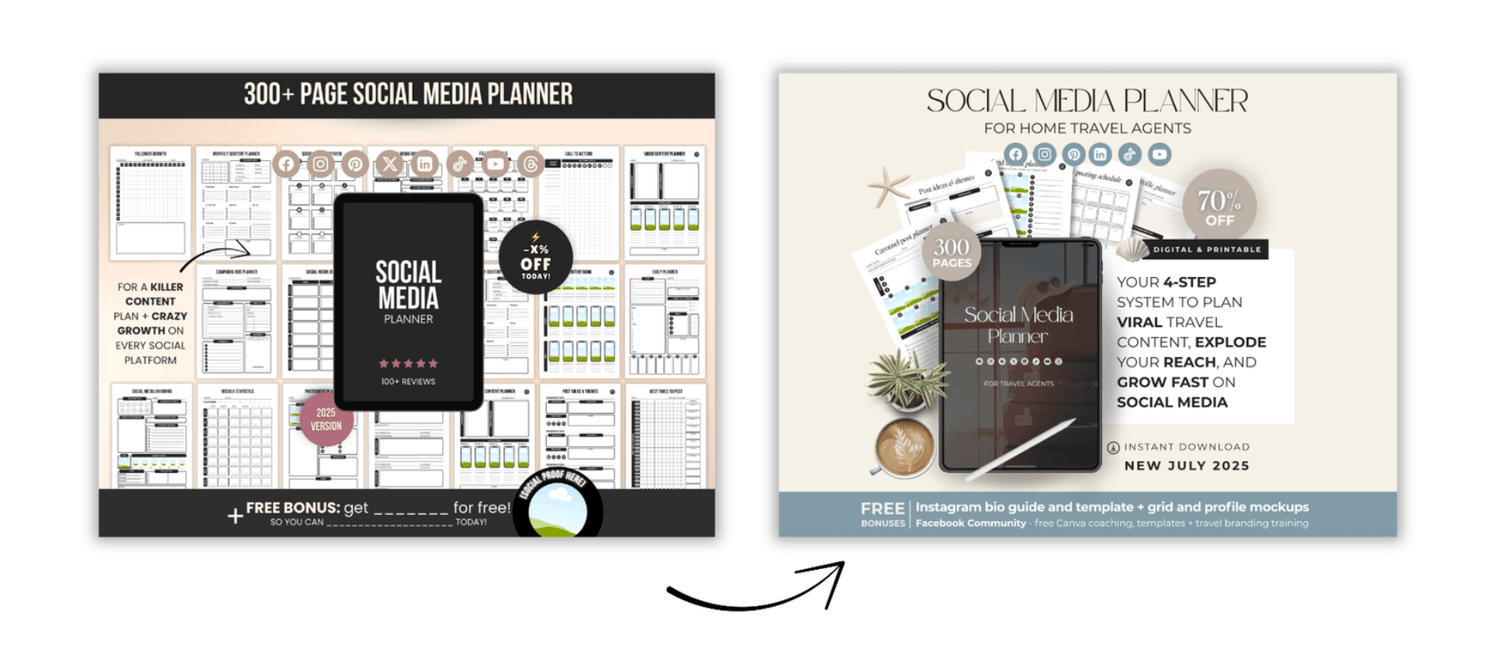
They either overcomplicate and end up redesigning the entire product which costs them days.
Or they make no changes, look exactly the same as 1324253 other sellers and don't make any sales.
If you’re using high quality PLR, MRR, or any DFY product, the goal is not to rebuild it from scratch.
That defeats the entire point of buying DFY in the first place.
You bought speed.
So use it.
Rebranding is about changing the signals buyers notice first....
The cover.
The colours.
The fonts.
The name.
The vibe.
Think of it like moving into a furnished house.
You don’t knock the walls down.
You repaint, change the door, swap the sofa, and suddenly it feels like yours.
That’s what I do.
I want someone scrolling Etsy to pause because this looks different - even if the product itself is similar.
If it looks the same as everyone else’s, they scroll.
Even if it’s objectively good.
This step is where your product stops looking like “another template”
and starts looking like a brand.
The templates and shortcuts inside the full 1-Hour Rebrand & List System™ makes this steps ridiculously easy.
➍ STEP 4
Listing slides that sell
This is where most listings quietly fail.
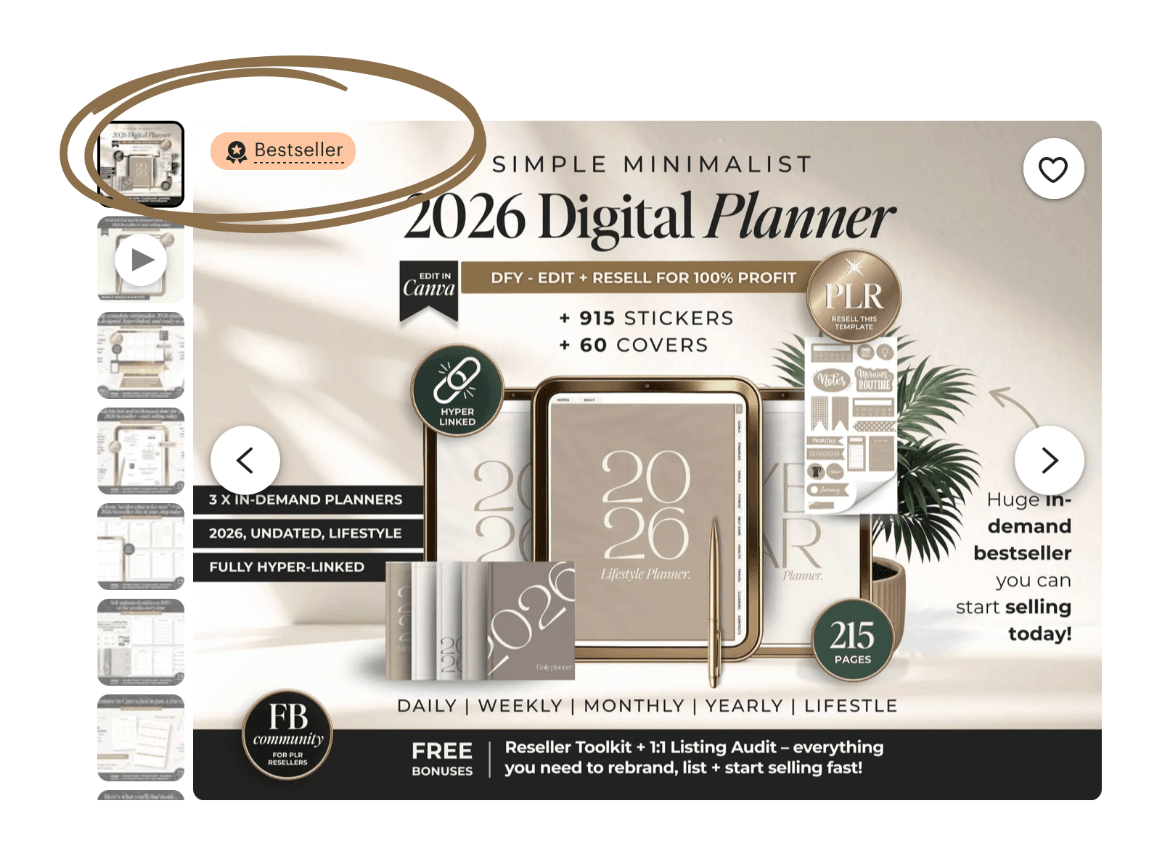
Your listing slides are one of the most important elements to get right.
Especially the thumbnail.
Some people upload a few images…
maybe a mockup…
maybe a text slide…
and hope for the best.
They are not really sure what to put on their slides or how to promote their offer.
Your listing slides should be a guided journey.
Each slide has one job:
to stop the scroll,
explain,
reassure,
show value,
remove doubt,
or move them closer to yes.
I treat it like a mini sales page.
People need to be shown specific things in a certain order.
And once you understand what they need to see, not just what looks nice -
you can reuse the same structure over and over again.
Same flow.
Same logic.
Different product.
That’s how you save time and convert better.
The full 1-Hour Rebrand & List System™ has done-for-you thumbnails and slide templates that cover exactly what your customers need to see in order to guide them to checkout.
This step is the secret sauce behind the entire system :)
➎ STEP 5
Get it live
This is where you start selling.
You need a clear title.
You use keywords properly. (high search, low competition where possible)
You upload all your images and a video. (use all the space available. always)
You choose the right category and tags.
You already know the best price from step 1.
And publish.
You can’t optimise and improve until you have real data.
Once it’s live, Etsy starts giving you feedback.
Views. Clicks. Favourites. Sales.
That’s when you tweak.
That’s when you improve.
That’s when you scale.
Once you’ve done this once, you’ll realise something important...
You didn’t just list a product.
You built a repeatable system.
One you can use again.
And again.
And again.
New product?
Same steps.
New niche?
Same steps.
More confidence.
Less guessing.
Way less time stuck in Canva.
Ready to actually do this properly and implement it into your own business?
You’ve just seen the what - the 5 steps I use to rebrand and list products fast.
Inside the full 1-Hour Rebrand & List System™, I show you exactly how I do each step, with templates, shortcuts, examples, and my full repeatable process - so you’re not guessing or starting from scratch.
If you want to stop overthinking and start listing products fast that actually sell, this is your next step.
The complete system to rebrand & list any digital product in under 1 hour
and actually get sales
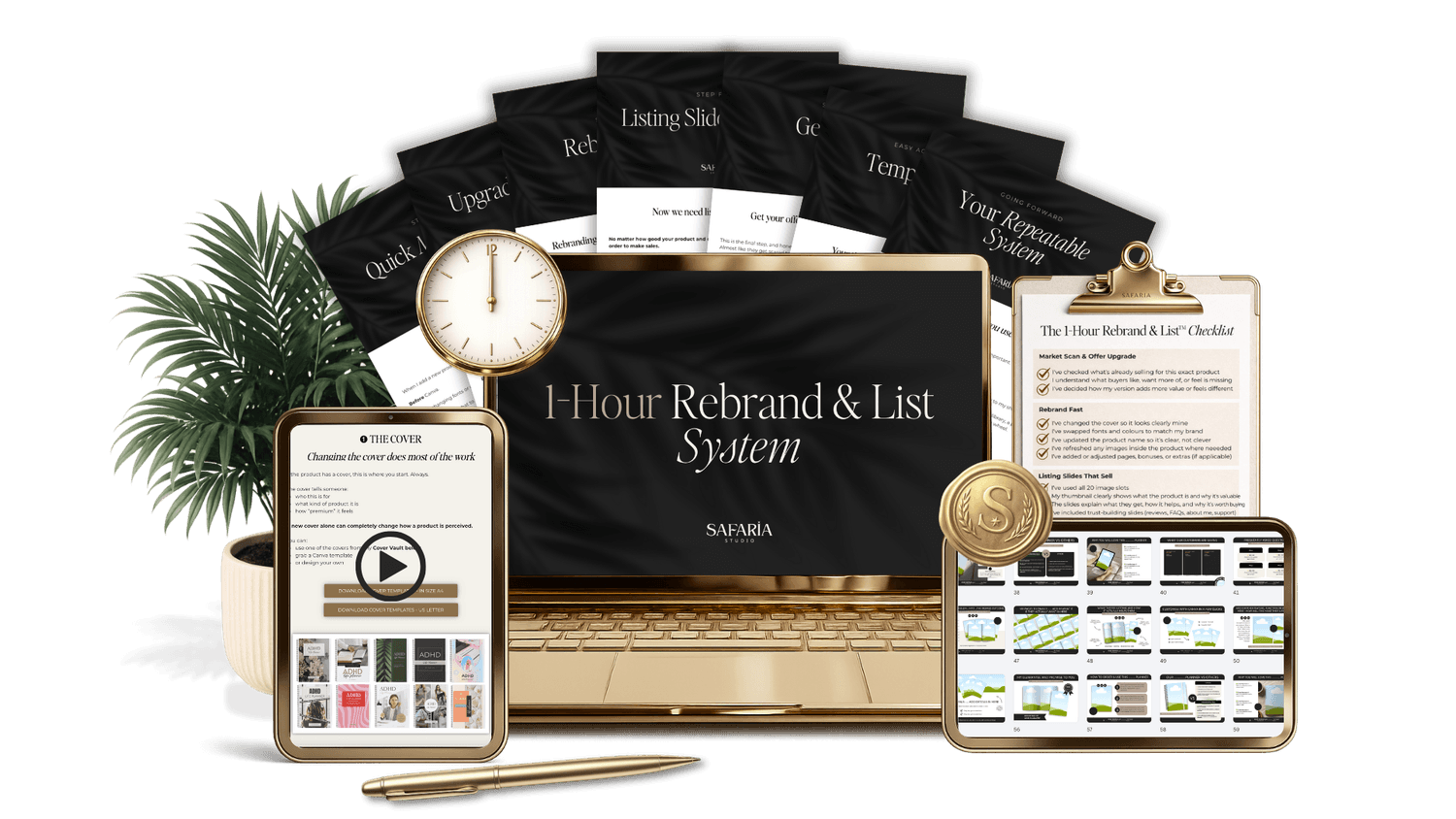
And get instant access to my done-for-you templates and shortcuts
that will save you hours!
Gem x